Queue Index Web Solutions

PHP Mailer: Streamlining Email Delivery for Seamless Communication缩略图

PHP Mailer: Streamlining Email Delivery for Seamless Communication

In the digital age, effective communication is crucial for businesses and developers alike. When it comes to sending emails programmatically, PHP Mailer stands tall as a robust and versatile solution. Whether you’re a seasoned developer or just starting with PHP, PHP Mailer offers a user-friendly way to streamline email delivery and enhance your application’s communication capabilities. In this blog, we’ll explore the power of PHP Mailer and how it simplifies the process of sending emails with PHP. What is PHP Mailer? PHP Mailer is a popular and reliable open-source library that allows developers to send emails effortlessly through PHP scripts. It provides a simple and intuitive API, enabling you to send text-based and HTML-based emails with ease. Whether you need to send transactional emails, newsletters, or user notifications, PHP Mailer has got you covered. Advantages of PHP Mailer: – Easy Integration: PHP Mailer is easy to integrate into your PHP projects. With just a few lines of code, you can start sending emails without the hassle of dealing with complex email configurations. – Support for Attachments: Need to send files along with your emails? PHP Mailer lets you add attachments, making it ideal for sending invoices, reports, or any other file types. – SMTP Support: PHP Mailer supports both PHP’s mail() function and SMTP servers, providing flexibility and reliability in email delivery. – Email Customization: Personalization is key to effective communication. PHP Mailer allows you to customize emails, including the sender’s name, subject, and other dynamic content to create engaging messages. Getting Started with PHP Mailer: -Installation: Begin by downloading the latest version of PHP Mailer from its official GitHub repository or by using a package manager like Composer. -Configuration: Once installed, configure PHP Mailer to work with your email service provider or local SMTP server. Set up authentication credentials and other relevant parameters -Sending Your First Email: Now, you’re ready to start sending emails! Use the PHP Mailer API to compose your email, add recipients, set the subject, and add the content. Don’t forget to handle any potential errors during the sending process. Best Practices for Secure Email Delivery: -Avoiding Email Injection: Protect your application from email injection attacks by sanitizing user input and validating email addresses before sending any emails. -Server-Side Validation: Always validate user inputs and form submissions on the server-side to ensure the integrity of the data being sent via emails. -Avoiding Spam Filters: Craft emails that comply with email standards and avoid spammy content to increase the chances of your messages reaching recipients’ inboxes. Troubleshooting Common Issues: -Debugging: PHP Mailer provides useful error handling and debugging options to help you identify and resolve any issues during the email sending process. – Testing on Local Servers: Test PHP Mailer on your local development environment to ensure it functions correctly before deploying it to a live server. Conclusion: PHP Mailer is a game-changer for developers seeking an efficient and secure way to send emails using PHP. With its user-friendly API, support for attachments, SMTP integration, and robust features, PHP Mailer simplifies the complexities of email communication. By adhering to best practices and implementing proper security measures, you can harness the full potential of PHP Mailer and take your application’s email delivery to new heights. Get started with PHP Mailer today and elevate your communication capabilities!

PHP Mailer: Streamlining Email Delivery for Seamless Communication Read More »

The Importance of Having a Website: Building Your Digital Future One Website at a Time缩略图

The Importance of Having a Website: Building Your Digital Future One Website at a Time

In today’s digital age, a website is not just a luxury but a necessity for individuals and businesses alike. Whether you’re an entrepreneur, an artist, a professional, or someone pursuing a personal project, having a website opens up a world of opportunities and advantages. In this blog post, we’ll explore the importance of having a website and delve into the essential features that make a website effective and impactful. The Significance of a Website:  1. Global Presence: Having a website enables you to establish a global presence. Unlike physical stores or local offices, a website is accessible to anyone with an internet connection, allowing you to reach a vast audience regardless of geographical boundaries.  2. Credibility and Professionalism: A well-designed website enhances your credibility and professionalism. In the digital era, consumers and clients often turn to the internet to research products, services, or individuals before making decisions. A professional-looking website can instill trust and confidence in your audience.  3. Marketing and Branding: Your website serves as a powerful marketing tool. It allows you to showcase your products, services, or portfolio effectively. Through strategic online marketing efforts, you can attract potential customers and build a strong brand presence.  4. Accessibility 24/7: Unlike traditional business hours, your website is accessible 24/7. This means that potential customers can learn about your offerings, make purchases, or contact you at any time, increasing the convenience for both you and your audience.  5. Cost-Effectiveness: A website is a cost-effective way to promote your business or personal brand. Compared to traditional forms of advertising, maintaining a website incurs lower costs in the long run. It’s a scalable solution that can accommodate the growth of your endeavors.  Essential Features of a Website: 1. User-Friendly Design: A user-friendly design is paramount. Ensure that your website is easy to navigate, with clear menus, intuitive layouts, and responsive design that adapts to different devices.  2. Compelling Content: Content is king. Your website should have high-quality, relevant content that engages visitors. This includes informative articles, captivating images, and compelling multimedia elements.  3. Contact Information: Make it easy for visitors to get in touch with you. Display clear and accessible contact information, including a contact form, email address, and social media links.  4. Mobile Optimization: With an increasing number of users accessing the internet via mobile devices, it’s crucial to optimize your website for mobile responsiveness. This ensures a seamless experience across various screen sizes.  5. Security Measures: Protecting your website and user data is of utmost importance. Implement security measures such as SSL certificates, secure payment gateways (if applicable), and regular updates to safeguard against potential threats.  6. Analytics and Insights: Integrate analytics tools to track the performance of your website. This data can provide valuable insights into visitor behavior, allowing you to make informed decisions for further optimization. Conclusion The importance of having a website cannot be overstated in our interconnected world. Whether you’re an entrepreneur, artist, or professional, a well-crafted website can open doors to new opportunities, enhance your credibility, and provide a platform for growth. By incorporating essential features, you can ensure that your website not only exists but thrives in the digital landscape.

The Importance of Having a Website: Building Your Digital Future One Website at a Time Read More »

The Power of Point of Sale (POS): Unveiling Features and Importance缩略图

The Power of Point of Sale (POS): Unveiling Features and Importance

In the dynamic landscape of business operations, efficiency, accuracy, and seamless transactions play pivotal roles. This is where Point of Sale (POS) systems come into play, revolutionizing the way businesses manage their transactions. In this blog post, we’ll explore what POS is, its features, and why it is of paramount importance in today’s competitive business environment. What is Point of Sale (POS)? At its core, a Point of Sale (POS) system is the central hub where a retail transaction is completed. It involves the exchange of goods or services for payment, marking the culmination of a customer’s journey within a business establishment. POS systems are not limited to traditional cash registers; they have evolved into sophisticated, digital solutions that streamline various aspects of the sales process.  Features of Modern POS Systems:  1. Transaction Processing:    – Rapid and accurate processing of sales transactions.    – Integration with various payment methods, including credit/debit cards, mobile payments, and online transactions.  2. Inventory Management:    – Real-time tracking of inventory levels to prevent stockouts and overstock situations.    – Automated alerts for low-stock items, facilitating timely restocking decisions.  3. Sales Analytics:    – Data-driven insights into sales trends and customer behavior.    – Customizable reports for better decision-making and strategic planning.  4. Employee Management:    – User-specific access levels to ensure data security.    – Time tracking and performance analysis tools.  5. Customer Relationship Management (CRM):    – Customer profiles and purchase history tracking.    – Loyalty programs and promotional offers to enhance customer retention.  6. Integration Capabilities:    – Seamless integration with other business tools, such as accounting software and e-commerce platforms.    – Compatibility with emerging technologies like RFID and NFC for contactless transactions.  7. User-Friendly Interface:    – Intuitive design for quick adoption by staff.    – Touchscreen interfaces for faster and error-free transactions.  The Importance of POS Systems:  1. Enhanced Efficiency:    – Speedier transactions lead to improved customer satisfaction.    – Automation of repetitive tasks reduces the chances of errors.  2. Accurate Financial Reporting:    – Real-time tracking of sales and expenses for precise financial reporting.    – Simplifies tax compliance and auditing processes.  3. Inventory Optimization:    – Prevents overstock and stockouts, minimizing financial losses.    – Streamlines the reordering process for optimal inventory levels.  4. Business Intelligence:    – In-depth insights into customer behavior aid in personalized marketing strategies.    – Helps businesses stay agile by adapting to market trends.  5. Customer Loyalty:    – CRM features foster stronger relationships with customers.    – Loyalty programs and discounts incentivize repeat business.  6. Adaptability to Industry Trends:    – Integration capabilities enable businesses to stay current with evolving technologies.    – Future-proofing against technological obsolescence. Security and Compliance: As digital transactions become the norm, security is a paramount concern. Modern POS systems incorporate robust security measures, including end-to-end encryption and tokenization, to safeguard sensitive customer information. Moreover, compliance with industry standards such as PCI DSS ensures that businesses adhere to the highest security protocols. Conclusion: In conclusion, a Point of Sale (POS) system is more than just a cash register; it’s a comprehensive solution that empowers businesses to thrive in today’s competitive landscape. The features embedded in modern POS systems contribute to operational efficiency, data-driven decision-making, and a superior customer experience. As businesses continue to evolve, embracing the power of POS is not just an option—it’s a strategic imperative for sustained success.

The Power of Point of Sale (POS): Unveiling Features and Importance Read More »

Mastering the Art of Email Marketing: Proven Tips for Successful Campaigns缩略图

Mastering the Art of Email Marketing: Proven Tips for Successful Campaigns

1.Know Your Audience: Successful email marketing begins with a deep understanding of your audience. Segment your email list based on demographics, behavior, or preferences. This allows you to tailor your content, ensuring that each message resonates with the right recipients. 2.Craft Compelling Subject Lines The subject line is the gateway to your email. Craft compelling, curiosity-inducing subject lines that entice recipients to open. Avoid clickbait but make it clear what value your email provides. 3.Personalization Matters: Personalized emails go beyond just using the recipient’s name. Leverage customer data to create tailored content, recommending products based on past purchases or acknowledging specific interactions. Personalization fosters a sense of connection and relevance. 4.Mobile Optimization: With the majority of emails being opened on mobile devices, it’s crucial to ensure your emails are mobile-friendly. Use responsive design to guarantee a seamless experience, regardless of the device your audience is using. 5.Compelling Content and Clear Call-to-Action (CTA): Your email content should be concise, engaging, and focused. Use visuals, compelling copy, and a clear CTA to guide recipients towards the desired action. Whether it’s making a purchase, signing up, or downloading content, the CTA should be prominent and persuasive. 6.Test and Iterate: A/B testing is a powerful tool in email marketing. Experiment with different elements like subject lines, content, visuals, and send times. Analyze the results to understand what resonates best with your audience and refine your strategy accordingly. 7.Automate and Nurture Implementing automated email workflows can save time and nurture leads effectively. Set up welcome series, abandoned cart emails, or drip campaigns to keep your audience engaged throughout their customer journey. 8.Monitor and Analyze Metrics: Regularly monitor key metrics such as open rates, click-through rates, and conversion rates. Analyzing this data provides valuable insights into the performance of your campaigns, allowing you to make data-driven adjustments for continuous improvement. Conclusion: Elevate Your Business with Effective Email Marketing Mastering the art of email marketing requires a combination of creativity, strategy, and a deep understanding of your audience. By implementing these tips and leveraging the power of Queue Index’s expertise, you can create email campaigns that captivate, convert, and contribute to the overall success of your business. Remember, in the digital age, a well-crafted email can be a game-changer – so start mastering the art today.

Mastering the Art of Email Marketing: Proven Tips for Successful Campaigns Read More »

Boost Your Business: Unlocking the Power of Social Media Marketing with Queue Index缩略图

Boost Your Business: Unlocking the Power of Social Media Marketing with Queue Index

In today’s fast-paced digital landscape, the role of social media in business growth cannot be overstated. For small and new businesses, navigating the world of social media marketing may seem like a daunting task. However, with the right strategies and tools, you can turn social platforms into powerful allies for expanding your brand reach and driving success. Queue Index is here to guide you through the journey of unlocking the true potential of social media marketing Why Social Media Marketing Matters for Small Businesses 1.Increased Visibility and Brand Awareness: Social media platforms serve as bustling marketplaces where potential customers spend a significant amount of their time. By establishing a presence on platforms like Facebook, Instagram, and Twitter, you can significantly increase your brand’s visibility and enhance awareness among your target audience 2.Cost-Effective Marketing: Traditional advertising channels can be costly for small businesses. Social media marketing, on the other hand, provides a cost-effective way to reach a large audience. With the right content and targeting, you can maximize your budget and achieve significant results. 3.Engagement and Community Building: Social media is not just about broadcasting your message; it’s about creating a community around your brand. Queue Index can help you develop engaging content that encourages interaction, fostering a sense of community and loyalty among your customers. 4.Data-Driven Decision Making: Social media platforms offer robust analytics tools that provide valuable insights into your audience’s behavior. With Queue Index’s guidance, you can leverage this data to make informed decisions, refine your marketing strategy, and optimize your campaigns for better results. The Queue Index Advantage: Your Guide to Social Media Success 1.Tailored Strategies for Small Businesses: Queue Index understands the unique challenges small businesses face. Our team will work with you to create customized social media strategies that align with your goals and resources, ensuring maximum impact within your budget. 2.Content that Converts: Engaging content is the heart of successful social media marketing. Queue Index specializes in creating content that resonates with your audience, whether it’s eye-catching visuals, compelling copy, or interactive media. 3.Consistent Branding Across Platforms Maintaining a consistent brand image across different social media platforms is crucial for building trust. Queue Index ensures that your brand’s voice, visuals, and messaging remain cohesive, making a lasting impression on your audience. Conclusion: Transform Your Small Business with Queue Index’s Social Media Expertise In conclusion, social media marketing is not just a trend; it’s a business necessity in today’s competitive landscape. Queue Index is your partner in navigating this dynamic realm, providing tailored strategies and expertise to elevate your small or new business to new heights. Don’t miss out on the countless opportunities social media offers – let Queue Index unlock the power of social media marketing for your business today.

Boost Your Business: Unlocking the Power of Social Media Marketing with Queue Index Read More »

How to Install CyberPanel on Linux : A Comprehensive Guide – Queue Index Web Solutions

It is a very popular choice and is often used by hosting providers that offer shared hosting solutions. However, you can find control panels that are more user-friendly and easier to use on your Ubuntu 22.04 LTS server. CyberPanel is one such management panel that you should consider exploring. CyberPanel is an open-source web hosting control panel. It manages several services like websites, email, DNS, and databases. This panel comes with a range of features, including one-click SSL certificate installation, automatic backups, one-click installation for WordPress/Joomla/Magento, etc. Install CyberPanel on Ubuntu 22.04 LTS Server Step # 1: Update System PackagesThe first step is to log in to your server using an SSH client such as PuTTY and update the system packages: sudo apt-get update && sudo apt-get upgrade Once prompted, press Y to proceed further with the upgrade. Step # 2: Install the DependenciesUse the following command to install the CyberPanel dependencies: sudo apt-get install python3 python3-dev python3-pip wget unzip rsync net-tools curl libssl-dev Once prompted, press Y to proceed further with the upgrade. Step # 3: Download and Install CyberPanelThe following script will connect to the official website and download the latest version. sh

How to Install CyberPanel on Linux : A Comprehensive Guide – Queue Index Web Solutions Read More »

How to install an Email Verifier Pro缩略图

How to install an Email Verifier Pro

What is an Email Verifier Pro ? Bulk Email Verifier Tool allows you to quickly and accurately verify large numbers of email addresses in one go, saving you time and resources. It uses a combination of verification methods, including syntax checking, domain checking, and SMTP validation, to ensure that your email list is accurate and up-to-date. It also helps you to reduce bounce rates and improve the deliverability of your emails. Descriptions Bulk Email Verifier Tool allows you to quickly and accurately verify large numbers of email addresses in one go, saving you time and resources. It uses a combination of verification methods, including syntax checking, domain checking, and SMTP validation, to ensure that your email list is accurate and up-to-date. It also helps you to reduce bounce rates and improve the deliverability of your emails. Features : Syntax checking: Check the structure of email addresses to ensure they are valid and properly formatted. Domain checking: Verify that the domain of an email address exists and is active. SMTP validation: Connect to the mail server to check if the email address actually exists. High-speed verification: The tool can process large lists of email addresses quickly, making it ideal for verifying large email lists. Real-time validation: Verify email addresses in real-time, so you can be sure that your list is accurate and up-to-date. Customizable settings: Allows you to set different parameters for your verification process, such as the number of threads to use, timeout periods, and retry attempts. Automatic de-duplication: Remove duplicate email addresses from your list to avoid sending duplicate emails. Export and import options: Export the verified email addresses to a CSV or other file format, or import email lists from external sources. User-friendly interface: The tool has an easy-to-use interface, making it accessible to users of all skill levels. Regular updates: The tool is regularly updated to ensure compatibility with the latest email verification standards and technologies How to Purchase : You can purchase this script from Codecanyon : Click Here Or you can contact us for the script and setup : +918287979402 Let’s first Install a control panel to host our email verifier application Please check out our post how to install a control panel : Click Here   Installation After Uploading extracted files to “public_html” folder or domain public web folder via FTP, you have to visit install.php file path via the browser to start up the installation process. File Path For Install.php : yourdomain.com/install.php Script needs full domain path, do not install on a subfolder. Subdomains (sub.yourdomain.com/install.php) are supported but not subfolders (yourdomain.com/subfolder/install.php). You can replace or use a different home page after installation is completed. However, the script requires a root domain path for a successful installation. Do not forget to replace “yourdomain.com” with your own domain address. If this is a first-time clean installation and not an update then you will be automatically redirected to install.php once you try to visit your domain. eg: yourdomain.com But if you do not get redirect to install.php then you can simply visit it by the following address: yourdomain.com/install.php STEP 1 – SYSTEM CHECK A complete step by step from full server to email verifier script configuration and installation video walkthrough available. Click Here At the very first step of install, it will cross-check existing server compatibility with the script to ensure the highest compatibility. Also, it will do auto check at system detection if your HOST port 25 is open for making outbound connections. If it shows Block. Then don’t bother to install it unless you have an outbound result as Open. Only start installing If you see all SMTP ports 25 open like this above image then you are good to go! If you see something RED then make sure you have it supported and enabled. Please recheck Minimum Requirements support to run this script and make sure it’s all active and enabled on your server & browser before proceeding with the installation. If you see MySQL version check skipped at system check in localhost then not to worry, it will get check during database connection test STEP 2 – DATABASE CONFIGURATION Once everything has been detected correctly and the license activated for your installation domain, press “Next” and proceed to database configuration. Add in your database connection on this page and proceed to “Next” page. if you receive either of Access denied for user, Connection Fail To Database after pressing “NEXT” during database configuration then you might have old database access information already added in /db/db.cnf.php file. Which makes a conflict with database connection. Make sure your db.cnf.php file is in its original state during installation and you are not adding wrong database information (user, pass, name) STEP 3 – FINALIZATION This is the final step to create your login user account. Just simply input in a name, username, email address and password with at least 6 digit and click “Complete”. After this, your installation will be completed and you will be redirected to login page. After Installation is complete and you are at the login page. Make sure to delete install.php and script zip file from yourdomain.com via web panel / filemanager to keep your installation secured from any attackers or stealing confidential data. Background – Tasker Cron Job:Once its done, you have to create a 1 minutes cron job for following file path in your web panel or crontab to activate scan to run in background and check the process always. * * * * * curl https://your-domain.com/functions/tasker.php?hash=GENERATED_HASH You can find PHP Binary location through SSH by using command line whereis php Also, this your_php_binary It is not required at all if you have an easy-to-use web panel like cpanel or our recommended panels. As it adds cron task easily or tells you the formula already. Warning: Failing to assign tasker crontab may interrupt your scan process from running for longer periods of time if you have not done your server configuration accordingly to this documentation. Basic Troubleshooting : ApacheApache users may increase the default

How to install an Email Verifier Pro Read More »

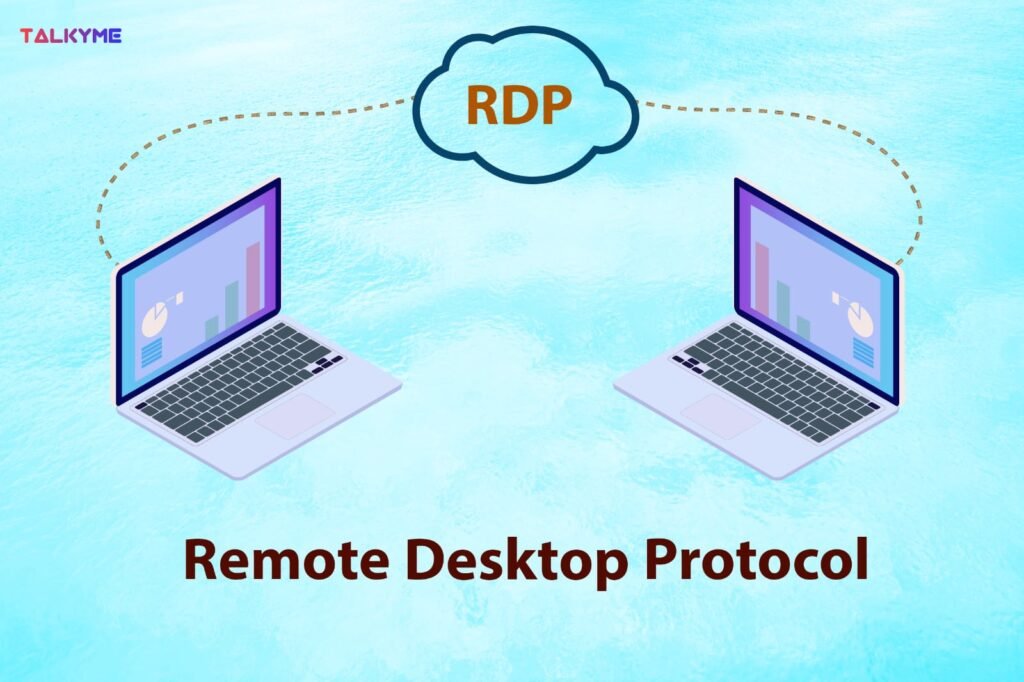
Demystifying RDP Server Setup: A Comprehensive Guide by Queue Index Solutions缩略图

Demystifying RDP Server Setup: A Comprehensive Guide by Queue Index Solutions

Introduction: Section 1: What is RDP and Why Is It Important?: Section 2: Understanding RDP Server Setup: Section 3: Benefits of an RDP Server: Section 4: Queue Index Solutions’ Expertise in RDP Server Setup: Section 5: Best Practices for RDP Server Security: Section 6: Case Studies: Section 7: Conclusion:

Demystifying RDP Server Setup: A Comprehensive Guide by Queue Index Solutions Read More »

Email Verification: A Vital Tool for a Clean and Effective Communication缩略图

Email Verification: A Vital Tool for a Clean and Effective Communication

Introduction: Email verification is a critical aspect of maintaining a healthy email list and ensuring that your online communication remains efficient and effective. In this blog, we’ll explore what email verification is, why it’s essential for businesses and individuals, and how it can benefit your online presence. Section 1: What is Email Verification? Section 2: Benefits of Email Verification: Section 3: Importance for Businesses: Section 4: Email Verification Services: Section 5: How to Use Email Verification Tools: Section 6: Conclusion:

Email Verification: A Vital Tool for a Clean and Effective Communication Read More »

“Maximizing Your Online Impact: A Comprehensive SEO Guide”

Welcome, digital explorers! Ever wondered how some websites magically appear at the top of your search results? That’s not magic; it’s SEO – your website’s secret weapon for standing out in the bustling online world . Imagine your website as a friendly shop waiting to welcome visitors. SEO, or Search Engine Optimization, is like putting up bright signs and helpful maps so that people can easily find your shop. It’s like telling search engines, “Hey, my website has exactly what these people are looking for In this blog, we’ll be your guides in the world of SEO. We’ll explain everything in simple terms, from the ABCs to the secret tricks. By the end, you’ll know how to make your website shine online, drawing in visitors like bees to honey. What Exactly is SEO? SEO, or Search Engine Optimization, is the art and science of optimizing your website to rank higher in search engine results pages (SERPs). When someone searches for a topic, product, or service online, search engines like Google analyze various factors to deliver the most relevant and useful results. SEO involves optimizing your website’s content, structure, and performance to align with these factors, making it more likely to appear in search results.The ultimate goal of SEO is to increase organic (non-paid) traffic to a website. When people search for specific topics, products, or information online, search engines like Google, Bing, or Yahoo use complex algorithms to determine which websites to show in the search results. SEO helps websites align with these algorithms, making them more likely to appear in relevant search queries. The Core Components of SEO 1. Keyword Research: Keyword research is like being a detective in the online world. It’s the process of finding out what words and phrases people commonly type into search engines when they’re looking for something. These words and phrases are your “keywords.”Keyword research helps you understand your audience better. It tells you what they’re interested in and what they’re looking for. By using the right keywords, you can attract more visitors to your website who are genuinely interested in what you have to offer. It’s like speaking the same language as your customers, making it easier for them to find you in the vast online world. There are several keyword research tools available that can help to discover relevant keywords for your website or content. Here are some popular ones: Google’s own tool, part of Google Ads, allows you to find keywords related to your business or industry. It provides data on search volume and helps you choose competitive bids and budgets. Semrush is a powerful SEO tool that provides keyword research along with competitive analysis. It not only helps you find keywords but also shows you what your competitors are ranking for. Ahrefs offers in-depth keyword research and analysis. It provides data on keyword difficulty, search volume, and even click-through rates, helping you identify the most valuable keywords for your content. Moz’s Keyword Explorer helps you discover keywords and analyze their difficulty and potential. It provides helpful metrics like organic click-through rates and priority scores. Ubersuggest is a free tool that provides keyword suggestions and shows you the difficulty level, search volume, and cost per click for each keyword. It’s user-friendly and great for beginners. This unique tool generates keyword ideas in the form of questions that people might ask in search engines. It’s excellent for understanding user intent and creating content that directly addresses their queries. KeywordTool.io generates keyword ideas from Google’s autocomplete feature. It’s a great tool for finding long-tail keywords, which are specific and often less competitive than broader terms. SEMrush’s Keyword Magic Tool provides extensive keyword suggestions along with metrics such as search volume, keyword difficulty, and CPC. It also helps you group keywords for more efficient analysis. 2. On-Page Optimization: Optimize individual pages on your website. This includes writing compelling meta titles and descriptions, using appropriate header tags, and incorporating target keywords naturally into your content. High-quality, relevant content is key. On-Page Optimization is like the makeover your website needs to impress both visitors and search engines. It involves tweaking various elements directly on your web pages to make them more appealing, relevant, and easy to understand for both users and search engines. Here’s what it involves: Think of title tags as the book titles for your web pages. They appear in search results and browser tabs. Creating unique and descriptive titles that include relevant keywords can significantly improve click-through rates. Meta descriptions are like the summaries on the back cover of a book. They provide a brief overview of what the page is about. Craft engaging meta descriptions that entice users to click on your link in the search results. Headings are like chapter titles in a book. They break down your content into sections, making it easier for visitors to scan and understand your page’s structure. Proper use of heading tags also helps search engines comprehend your content. Clear and concise URLs are essential. They should reflect the content of the page. A clean URL helps both users and search engines understand what a page is about. Link relevant pages within your website (internal links) and link to credible external sources (external links) where necessary. Internal links help users navigate your site, while external links demonstrate your content’s credibility.Earn high-quality backlinks from reputable websites. Search engines view backlinks as a vote of confidence, boosting your site’s credibility. Focus on natural link-building strategies and avoid spammy practices. 3 Off- Page SEO Off-Page SEO refers to the activities conducted outside of your website to improve its visibility and credibility on search engine results pages (SERPs). Unlike On-Page SEO, which focuses on optimizing your website’s content and structure, Off-Page SEO is about building your website’s authority, trustworthiness, and relevance in the eyes of search engines. Here are some key aspects of Off-Page SEO Building high-quality backlinks from other websites is a fundamental aspect of Off-Page SEO. Search engines view these links as votes of confidence,

“Maximizing Your Online Impact: A Comprehensive SEO Guide” Read More »

SPIN TO WIN!

  • Try your lucky to get discount coupon
  • 1 spin per email
  • No cheating
Try Your Lucky
I agree with the term and condition
Never
Remind later
No thanks