Queue Index Web Solutions

RackNerd

RackNerd’s Black Friday 2024: Grab VPS Deals Starting From Just $10/Year – No Promo Code Needed!

Ready to Take Your Online Presence to the Next Level? RackNerd’s Black Friday Sale Is Here with Exclusive Deals on VPS, Ryzen VPS, Reseller Hosting, Dedicated Servers, and Shared Hosting That You Won’t Find Anywhere Else! Explore Exciting VPS Hosting Deals: Experience the Advantages of Virtualization Upgrade to RackNerd’s VPS Hosting for top-notch performance and dependability. Take advantage of Black Friday deals now for the ideal opportunity to enhance your hosting setup. Benefit from blazing-fast speeds, complete root access, and round-the-clock expert assistance. Accelerate your digital journey with a turbo boost! 4.5GB KVM VPS for only $52.49/Year 4 vCPU Cores 115 GB Pure SSD Storage 4.5 GB RAM 10,000 GB Monthly Transfer 1 Gbps Network Port Click It Here 4GB KVM VPS for only $38.88/Year 2 vCPU Cores 80 GB Pure SSD Storage 4 GB RAM 8000 GB Monthly Transfer 1 Gbps Network Port Click It Here 2.5GB KVM VPS for only $25.49/Year 2 vCPU Cores 50 GB Pure SSD Storage 2.5 GB RAM 5000 GB Monthly Transfer 1 Gbps Network Port Click It here 2GB KVM VPS for only $16.98/Year 1 vCPU Core 30 GB Pure SSD Storage 2 GB RAM 2500 GB Monthly Transfer 1 Gbps Network Port Click It Here 768MB KVM VPS for only $10.18/Year 1 vCPU Core 15 GB Pure SSD Storage 768 MB RAM 1000 GB Monthly Transfer 1 Gbps Network Port Click It Here Ryzen VPS Discounts: Unleash High-Performance Processing Power Step into the next generation of hosting with RackNerd’s Ryzen VPS. Fueled by the AMD Ryzen 7950X CPU, these virtual servers offer unmatched performance for intensive applications. Black Friday brings incredible discounts on Ryzen VPS packages – don’t miss out on the chance to upgrade your hosting experience! 1.5GB Ryzen NVMe VPS for only $19/Year 1 vCPU AMD Ryzen Core 30 GB NVMe Storage 1.5 GB RAM DDR5 2500 GB Monthly Transfer 1 Gbps Network Port Click It Here 2GB Ryzen NVMe VPS for only $29/Year 2 vCPU AMD Ryzen Cores 40 GB NVMe Storage 2 GB RAM 4000 GB Monthly Transfer 1 Gbps Network Port Click It Here 3GB Ryzen NVMe VPS for only $45/Year 2 vCPU AMD Ryzen Cores 55 GB NVMe Storage 3 GB RAM 6000 GB Monthly Transfer 1 Gbps Network Port Click It Here Exclusive Dedicated Server Offers : Uncompromised Performance For those looking top-notch performance, RackNerd’s Dedicated Servers are a game-changer. Don’t miss out on exclusive offers this Black Friday for high-performance dedicated hosting. Get full server control, customizable setups, premium hardware, and the reliability your business requires. Intel Xeon E3-1240 V2 for only $59/Month Intel Xeon E3-1240 V2 – 4x 3.40 GHz (8 Threads, 3.80 GHz Turbo) 32 GB DDR3 RAM 2x 2 TB SATA HDD 30 TB @ 1Gbps Bandwidth /28 – 13 Usable IPs IPMI Access New York – East Coast Datacenter Click It Here Dual Xeon E5-2690 V4 for only $149/Month Dual Xeon E5-2690 V4 – 28x 2.60 GHz (56 Threads, 3.50 GHz Turbo) 64 GB DDR4 RAM 1.2 TB NVMe 100 TB @ 1Gbps Bandwidth /29 – 5 Usable IPs IPMI Access Utah – West Coast Datacenter Click It Here Dual Xeon E5-2630 V4 for only $159/Month Dual Xeon E5-2630 V4 – 20x 2.20 GHz (40x Threads, 3.10GHz Turbo) 64 GB DDR4 RAM 12x 8 TB SATA HDD (HW RAID) 1Gbps Unmetered Bandwidth /29 – 5 Usable IPs IPMI Access Utah – West Coast Datacenter Click It Here SEO Server Special for only $140/Month Intel Xeon E3-1240 V2 – 4x 3.40 GHz (8 Threads, 3.80 GHz Turbo) 16 GB DDR3 RAM 1 TB SSD 30 TB @ 1Gbps Bandwidth /29 + 4x /26 or 8x /27 or 16x /28 IPMI Access Multiple Datacenter Locations Click It Here Budget-Friendly and Reliable Shared Hosting Options Launching a blog or small business site? RackNerd’s Shared Hosting plans are tailored just for you. Take advantage of special discounts this Black Friday for dependable hosting at an unmatched value. Benefit from features such as easy one-click setups, 99.9% uptime, and responsive customer service. SHARED – 40 GB for only $12.39/Year 40 GB SSD Disk Space 3 TB Monthly Transfer Unlimited Databases Host 3 Domains Free SSL Certificates CloudLinux Powered KernelCare Enabled (maximum security/uptime) cPanel Control Panel Softaculous Script Installer LiteSpeed Web Server Click It Here SHARED – 80 GB for only $21.49/Year 80 GB SSD Disk Space 6 TB Monthly Transfer Unlimited Databases Host 10 Domains Free SSL Certificates CloudLinux Powered KernelCare Enabled (maximum security/uptime) cPanel Control Panel Softaculous Script Installer LiteSpeed Web Server Click It Here SHARED – 140 GB for only $49.95/Year 140 GB SSD Disk Space 20 TB Monthly Transfer Unlimited Databases Host Unlimited Domains Free SSL Certificates CloudLinux Powered KernelCare Enabled (maximum security/uptime) cPanel Control Panel Softaculous Script Installer LiteSpeed Web Server Click It Here Reseller Hosting Offers: Start Your Own Hosting Business Entrepreneurs, here’s an opportunity for you! RackNerd’s Reseller Hosting plans make it easy to start your own hosting business. Take advantage of special deals to kick off your entrepreneurial journey without spending too much. Enjoy white-label solutions, strong infrastructure, and unmatched reliability. RESELLER – 80 GB for only $29.88/Year 80 GB SSD Disk Space 3 TB Monthly Transfer 5 cPanel Accounts Free SSL Certificates CloudLinux Powered KernelCare Enabled (maximum security/uptime) cPanel & WHM Control Panel Softaculous Script Installer LiteSpeed Web Server Click It Here RESELLER – 120 GB for only $55/Year 120 GB SSD Disk Space 5 TB Monthly Transfer 10 cPanel Accounts Free SSL Certificates CloudLinux Powered KernelCare Enabled (maximum security/uptime) cPanel & WHM Control Panel Softaculous Script Installer LiteSpeed Web Server Click It Here RESELLER – 200 GB for only $79.99/Year 200 GB SSD Disk Space 10 TB Monthly Transfer 15 cPanel Accounts Free SSL Certificates CloudLinux Powered KernelCare Enabled (maximum security/uptime) cPanel & WHM Control Panel Softaculous Script Installer LiteSpeed Web Server Click It Here What does RackNerd offer? RackNerd servers are suitable for many tasks, including website building and hosting. Here are some examples of how people use RackNerd servers: Website Hosting Web Application Deployment Development and Testing Game Servers Data Backup and Storage Media Streaming Virtual Private Networks (VPNs) Email Hosting Reselling Hosting Services Don’t wait to take advantage of these fantastic Black Friday deals! Upgrade your online experience
RackNerd’s Black Friday 2024: Grab VPS Deals Starting From Just $10/Year – No Promo Code Needed! Read More »

A STEP-BY-STEP GUIDE FOR INSTALLING ERPNEXT VERSION 15 IN UBUNTU 22.04

In this article, I will take a step-by-step approach to configure our newly installed ubuntu 22.04 OS to set up an environment and install ERPNext version 15. Let’s get to work! Prerequisites The below prerequisites are advised in order to get an optimal functionality of ERPNext on your server. Software Requirements Hardware Requirements Server Settings Update and Upgrade Packages Create a new user – (bench user) In linux, the root user processes escalated privileges to perform any tasks within the system. This is why it is not advisable to use this user on a daily basis. We will create a user that we can use, and this will be the user we will also use as the Frappe Bench User. Ensure you have replaced [frappe-user] with your username. eg. sudo adduser frappe Install Required Packages A software like ERPNext, which is built on Frappe Framework, requires a number of packages in order to run smoothly. These are the packages we will be installing in this step. Install GIT Install Python ERPNext version 15 requires Python version 3.10+. This is what we will install in this step. Install Python Virtual Environment A virtual environment helps in managing the dependencies for one software at one place, without having to interfere with other sections in the computer or server in which the software is running. Install Software Properties Common Software Properties Common will help in repository management Install MariaDB ERPNext is built to naively run on MariaDB. The team is working to have the same working on PostgreSQL, but this is not ready yet. Install Redis Server Install other packages ERPNext functionality also relies on other packages we will install in this step. These will load fonts, PDFs, and other resources to our instance. Configure MYSQL Server Setup the server When you run this command, the server will show the following prompts. Please follow the steps as shown below to complete the setup correctly. Edit MYSQL default config file Add the following block of code exactly as is: Restart the MYSQL Server Instal CURL, Node, NPM and Yarn Install CURL Install Node Install NPM Install Yarn Initialize Frappe Bench Switch directories into the Frappe Bench directory Change user directory permissions This will give the bench user execution permission to the home directory Create a New Site A site is a requirement in ERPNext, Frappe and all the other apps we will be needing to install. We will create the site in this step. Install ERPNext and other Apps Download all the apps we want to install The first app we will download is the payments app. This app is required when setting up ERPNext. Next, we will download ERPNext app Download any other app you may be interested in in a similar manner. For instance, if you need the Human Resource app to be installed, use the following command. Install all the apps on our site Install all the other apps you downloaded in the same way. For example, if you downloaded the human resource app, use the below command to install it. We have successfully setup ERPNext version 15 on ubuntu 22.04. You can start the server by running the below command: If you didn’t have any other ERPNext instance running on the same server, ERPNext will get started on port 8000. If you visit [YOUR SERVER IP:8000], you should be able to see ERPNext version 15 running. Please note that instances which are running on develop mode, like the one we just setup, will not get started when you restart your server. You will need to run the bench start command every time the server restarts. In the below steps, we will learn how to deploy the production mode. Setting ERPNext for Production Enable Scheduler Disable maintenance mode Setup production config Setup NGINX to apply the changes Restart Supervisor and Launch Production Mode If you are prompted to save the new/existing config file, respond with a Y. When this completes doing the settings, your instance is now on production mode and can be accessed using your IP, without needing to use the port. This also will mean that your instance will start automatically even in the event you restart the server. All the best! 🙂

A STEP-BY-STEP GUIDE FOR INSTALLING ERPNEXT VERSION 15 IN UBUNTU 22.04 Read More »

Innovate Your Design: A Simple Journey into Wireframing with QueueIndex

Wireframing is like creating a rough sketch or plan for how a website or app will look and work. It’s not about colors or fancy details but focuses on where things will be placed, how they’ll function and how users will interact with it . Designers use wireframes to figure out the basic structure and flow of a digital product before adding all the pretty details. This helps get early feedback, make improvements, and set a solid foundation for the final design and development. Benefits of Wireframing Wireframing in website development has three main benefits:- First, it saves time by giving a quick outline of the website’s layout without diving into detailed design. Second, it helps teams work together better by providing a common visual language everyone can understand. Third, it reduces the need for lots of changes later on by catching potential problems early. Overall, wireframing makes building websites easier, faster, and more efficient. Queue Index Wireframing Services: QueueIndex.com is a fantastic platform for making website blueprints. It’s easy to use, even if you’re new to it. We have lots of templates for different types of projects, saving your time. You can work together with your team by sharing your blueprints and getting feedback. Plus, we show you how your designs will look on different devices. Overall, QueueIndex.com is a great place to plan and create websites without any hassle. Step-by-Step Guide How Book a Wireframing Services with us: Step 1: Visit QueueIndex : Open your web browser and go to QueueIndex.com. Step 2: Navigating the QueueIndex.com Dashboard : Step 3: Click on Our Service and Select Wireframing Step 4: Select Service For Booking Step 5: Click on a time slot to proceed with booking. Step 6: Please provide your details in the form below to proceed with booking.

Innovate Your Design: A Simple Journey into Wireframing with QueueIndex Read More »

Optimize Your Business with Perfex v3.1.1 – A Powerful Open Source CRM缩略图

Optimize Your Business with Perfex v3.1.1 – A Powerful Open Source CRM

In today’s dynamic business landscape, the need for effective tools to streamline operations and enhance customer relationships is more crucial than ever. Perfex v3.1.1, an open-source Customer Relationship Management (CRM) solution, stands out as a powerfulally in helping businesses achieve these goals. This blog post will guide you through the process of downloading and installing Perfex v3.1.1, empowering you to take control of your business operations. Understanding the Essence of Perfex v3.1.1: Perfex CRM is a feature-rich, open-source CRM that offers a comprehensive suite of tools to manage and optimize customer relationships. From contact management to project collaboration, Perfex provides a seamless experience, making it an invaluable asset for businesses of all sizes. Downloading Perfex v3.1.1: To embark on your Perfex journey, start by downloading the latest version directly from the official website here. Simply follow the link, and on the product page, you’ll find the option to download the most up-to-date release. Installation Journey: A Step-by-Step Guide: Step 1: Extract the Files Upon completing the download, extract the contents of the zip folder to your preferred location on your server. This will prepare the groundwork for the installation process. Step 2: Create a Database Take the initiative to create a new database on your server where Perfex will securely store and manage your business data. Step 3: Configuration Navigate to the config.php file within the extracted folder and input the necessary database details, including the database name, username, and password. This step establishes the connection between Perfex and your designated database. Step 4: Run the Installer Open your preferred web browser and access the directory where you’ve stored the Perfex files. The installer will seamlessly guide you through the setup process, automatically creating the essential tables within your specified database. Step 5: Login and Customize With the installation complete, log in to Perfex using the default credentials. From here, the CRM opens up a world of possibilities. Customize settings, add users, and tailor Perfex to align with your unique business requirements. Your Journey with Perfex Begins: Congratulations! By following these steps, you’ve successfully installed Perfex v3.1.1 on your system. Your business is now equipped with a robust CRM tool that promises to revolutionize the way you manage customer relationships, streamline communication, and enhance overall operational efficiency. Get Started Today: Unlock the Potential of Perfex v3.1.1: Ready to elevate your business operations? Waste no time and acquire Perfex v3.1.1 by visiting the official website: Perfex CRM.

Optimize Your Business with Perfex v3.1.1 – A Powerful Open Source CRM Read More »

Leo v3.0: Bringing Dreams to Life in the World of AI Artistry缩略图

Leo v3.0: Bringing Dreams to Life in the World of AI Artistry

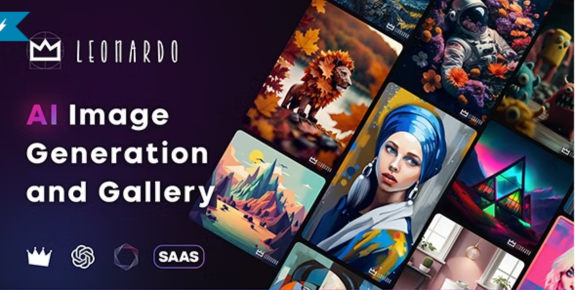
Step into a realm where pixels transform into poetry and imagination knows no bounds – welcome to the mesmerizing world of Leo v3.0. This latest iteration of the Leo series is not just an AI image generator; it’s a digital sorcerer, conjuring awe-inspiring visuals that dance on the edge of reality and fantasy. In this blog post, let’s embark on a captivating journey through the enchanting features of Leo v3.0 and explore the breathtaking wonders it unveils in its AI gallery. Unleashing the Power of Leo v3.0: Captivating Features: Leo v3.0 is not your ordinary image generator; it’s a symphony of algorithms harmonizing to create visual symphonies. With a quantum leap in sophistication, this AI model harnesses the magic of generative adversarial networks (GANs) to birth high-resolution, lifelike images that defy the imagination. Visual Symphony in High-Res: Picture this – Leo v3.0 isn’t just painting; it’s crafting masterpieces in high-definition. Say goodbye to pixelated limitations; Leo v3.0 introduces an era where every stroke and hue manifests in glorious detail, ready to be admired on both digital screens and canvas alike. Style Fusion and Personalization: Leo v3.0 isn’t content with ordinary mimicry; it’s a shape-shifter, seamlessly transferring styles from one image to another. Artists can now dive into a kaleidoscope of creative possibilities, infusing their distinct personalities into every stroke. Your imagination is the only limit. Whispers of Versatility: Whether it’s the serenity of a tranquil landscape, the soul-stirring allure of a portrait, or the abstract dance of colors, Leo v3.0 is a versatile virtuoso. It molds itself to any artistic realm, embracing a kaleidoscope of genres to cater to the eclectic tastes of creators. User-Friendly Enchantment: Fear not the complexities of magic; Leo v3.0 invites creators into its realm with an enchantingly user-friendly interface. Real-time previews, intuitive controls – it’s an artist’s playground where every wish is granted with the swipe of a digital wand. Leo v3.0 Gallery: Where Dreams Come Alive: Step into the Leo v3.0 gallery, a treasure trove of dreams realized and fantasies brought to life. Here, every click reveals a portal to a parallel dimension of creativity. Highlights from the gallery include: Majestic Masterpieces: Behold the awe-inspiring creations that defy the boundaries between reality and imagination. Leo v3.0’s handiwork unfolds in intricate masterpieces that leave onlookers spellbound. Stylistic Wonderland: Take a journey through a wonderland of styles – from the echoes of classical elegance to the avant-garde whispers of modern art. Leo v3.0’s style exploration transcends the ordinary, pushing the boundaries of artistic expression. Collaborative Constellations: Witness the celestial collaborations of the Leo community, where multiple creators join forces to birth digital constellations. The gallery pulsates with the collective heartbeat of a global community passionate about pushing the boundaries of art and imagination. Why Queue Index? Exclusive Access: Queue Index offers an exclusive platform to purchase Leo v3.0, ensuring that you get firsthand access to the latest and most advanced AI image generation technology. Secure Transactions: Rest easy knowing that your transactions on Queue Index are secure. Your privacy and financial information are treated with the utmost care, providing you with a safe and reliable purchasing experience. Prompt Customer Support: Have questions or need assistance? Queue Index takes pride in its prompt and helpful customer support. Your satisfaction is their priority, ensuring a smooth and enjoyable purchasing process. A Step-by-Step Guide to Downloading and Installing Leo v3.0 from Queue Index Step 1: Navigate to Queue Index Visit the Queue Index Website:Start by accessing the Queue Index website on your preferred web browser. Navigate to the dedicated page for Leo v3.0 to explore exclusive features and information about the product. Explore Leo v3.0 Product Page:Browse through the Leo v3.0 product page on Queue Index to understand its features, benefits, and pricing. Ensure that you have a stable internet connection for a smooth downloading process. Step 2: Select and Purchase Your License Choose Your License:On the product page, select the license that best suits your needs. Queue Index offers various options, allowing you to tailor your purchase to your artistic requirements. Add to Cart and Checkout:Add the selected license to your cart and proceed to checkout. Follow the prompts to provide necessary information and complete the transaction securely. Receive Confirmation:Upon successful purchase, you’ll receive a confirmation email containing your license key and a link to download Leo v3.0. Step 3: Download Leo v3.0 Access the Download Link:Open the confirmation email and click on the provided download link. Alternatively, visit the ‘Downloads’ section on the Queue Index website and locate the Leo v3.0 download link associated with your purchase. Initiate Download:Click on the download link to initiate the Leo v3.0 download process. Depending on your internet speed, the download may take a few moments. Step 4: Install Leo v3.0 Locate Downloaded File:Once the download is complete, locate the downloaded Leo v3.0 installation file on your computer. It is typically saved in your designated download folder. Run the Installation Wizard:Double-click on the installation file to run the Leo v3.0 installation wizard. Follow the on-screen instructions to proceed with the installation. Enter License Key:During the installation process, you will be prompted to enter the license key provided in the confirmation email. Copy and paste the key accurately to activate your Leo v3.0 installation. Complete Installation:Allow the installation wizard to complete the process. Once finished, Leo v3.0 is ready to be launched on your computer. Step 5: Launch Leo v3.0 and Unleash Your Creativity Open Leo v3.0:Locate the Leo v3.0 icon on your desktop or in your applications folder. Double-click to open the application. Explore and Create:Congratulations! You are now ready to explore the features of Leo v3.0 and dive into a world of limitless artistic possibilities. Begin creating stunning AI-generated images and bring your creative visions to life Conclusion: Transform Your Artistic Vision with Leo v3.0 on Queue Index With Leo v3.0 now at your fingertips, the only limit is your imagination. Download, install, and let your creativity soar with this groundbreaking AI image generation tool from Queue Index. Leo v3.0

Leo v3.0: Bringing Dreams to Life in the World of AI Artistry Read More »

Elevate Your Digital Experience with Queue Index’s Windows RDP Plan 2!缩略图

Elevate Your Digital Experience with Queue Index’s Windows RDP Plan 2!

Exciting news from Queue Index! We’re delighted to present our newest offering, the Windows RDP Plan 2, crafted to revolutionize your digital encounters. This plan, meticulously designed for excellence, is here to usher you into a realm of unmatched performance and heightened productivity. Checkout our RDP Plans – Click Here Discover the Power of Windows RDP Plan 2: At Queue Index, we understand the importance of a seamless digital experience, and the Windows RDP Plan 2 is our answer to your evolving needs. Whether you’re a small business owner, a freelancer, or a tech enthusiast, this plan is tailored to cater to all, ensuring a smooth and efficient computing environment. Key Features: Flexible Contract: No need to tie yourself down with long-term commitments. Enjoy the freedom of a 1-month contract, giving you the flexibility to adapt as your needs change. European Union Focus: Complying with regional standards, this plan is tailored specifically for the European Union, ensuring optimal performance and a secure digital environment. Powerful Hardware Specifications: 400 GB SSD: Say goodbye to sluggish performance with lightning-fast storage that accelerates data access. 6 Core vCPU: Multitask seamlessly with a robust hexa-core virtual CPU that can handle your workload effortlessly. 16 GB RAM: Experience enhanced efficiency and speed as you run applications and processes without any hiccups. 2 Snapshots: Safeguard your valuable data by creating snapshots at different intervals, providing a safety net against unexpected events. Unlimited Connectivity: Enjoy the benefits of 32 TB Out + Unlimited In data transfer, ensuring you stay connected without any limitations. Round-the-Clock Support: Our dedicated support team is available 24/7 to address any queries or concerns, providing you with peace of mind as you navigate the digital landscape. Getting Started: Visit Our Website: Head over to www.queueindex.com to explore the full spectrum of features offered by the Windows RDP Plan 2. Sign Up: Create an account on our platform and select the Windows RDP Plan 2 that suits your unique requirements. Customize Your Experience: Tailor the plan to your preferences by choosing additional features or add-ons, creating a computing environment that aligns perfectly with your needs. Experience Excellence: Immerse yourself in a world of enhanced productivity with Queue Index’s Windows RDP Plan 2. Explore its capabilities and witness the transformative difference. Queue Index is dedicated to providing cutting-edge solutions that empower your digital journey. Windows RDP Plan 2 is just the beginning – stay tuned for more innovations that elevate your online experience!

Elevate Your Digital Experience with Queue Index’s Windows RDP Plan 2! Read More »

Queue Index Remote Desktop Plan 1

Welcome to Queue Index: Unleashing Productivity with Windows RDP Plan 1!

We’re excited to introduce our standout product – Windows RDP Plan 1! This plan is carefully crafted to enhance your computing with a seamless and powerful Windows 10/11 Pro experience. Let’s dive into the details of this plan, ensuring efficiency, security, and top-notch performance. Key Features: Operating System: Unleash the power of the latest Microsoft operating systems with Windows 10/11 Pro, ensuring a smooth and user-friendly interface for all your computing needs. Contract Period: Choose flexibility with our 1-month contract period, allowing you to experience the premium features of Windows RDP Plan 1 without any long-term commitments. Region-Specific: Tailored for the European Union, our RDP Plan 1 ensures optimal performance and compliance with regional standards, providing you with a reliable and secure computing environment. Hardware Specifications: 400 GB SSD: Lightning-fast storage accelerates data access, improving overall system responsiveness. 4 Core vCPU: Experience multitasking at its best with a powerful quad-core virtual CPU. 6 GB RAM: Smooth and efficient multitasking ensures your applications run seamlessly. 2 Snapshots: Protect your data by creating snapshots at different points in time, allowing for easy recovery in case of unexpected events. Connectivity and Support: 32 TB Out + Unlimited In: Enjoy extensive data transfer capabilities, ensuring you stay connected without any bottlenecks. 24×7 Support: Our dedicated support team is always ready to assist you, providing round-the-clock support for any queries or concerns. How to Get Started: Visit Our Website: Head over to www.queueindex.com to explore more details about Windows RDP Plan 1. Sign Up: Create an account on our platform and choose the Windows RDP Plan 1 that suits your requirements. Customize Your Experience: Tailor the plan to your needs by selecting additional features or add-ons, creating a personalized computing environment. Experience Excellence: Dive into the world of enhanced productivity with Queue Index’s Windows RDP Plan 1. Explore the capabilities and witness the difference. At Queue Index, we believe in providing cutting-edge solutions to fuel your success. Windows RDP Plan 1 is just the beginning – stay tuned for more innovations that empower your digital journey.

Welcome to Queue Index: Unleashing Productivity with Windows RDP Plan 1! Read More »

Spark Your Creativity with ToolsAi v1.5 – Your All-in-One AI Powerhouse缩略图

Spark Your Creativity with ToolsAi v1.5 – Your All-in-One AI Powerhouse

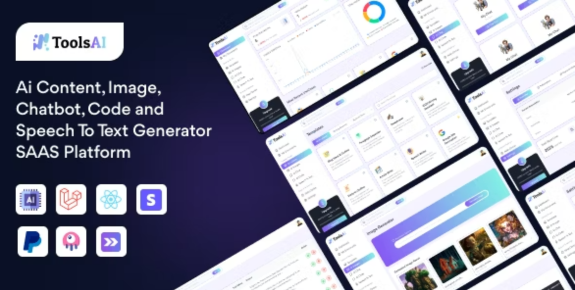
In today’s fast-paced digital landscape, harnessing the power of artificial intelligence is essential for staying ahead of the curve. Queue Index proudly presents ToolsAi, an advanced SAAS platform that brings together cutting-edge AI technologies for content creation, image processing, chatbot development, code generation, and speech-to-text conversion. Why ToolsAi?​ Time-Saving: With automated processes and quick generation capabilities, ToolsAi v1.5 significantly reduces the time spent on various tasks. Versatility: The platform caters to a wide range of needs, making it a one-stop solution for content creation, image enhancement, chatbot development, code generation, and speech-to-text conversion. Consistency: AI algorithms ensure a consistent output, whether you’re generating content, images, or code, maintaining quality across different projects. User-Friendly Interface: ToolsAi v1.5 features an intuitive interface, making it accessible to both seasoned professionals and those new to AI-powered tools. Key Features: AI Content Generation: Craft compelling and engaging content effortlessly with ToolsAi’s advanced natural language processing capabilities. Image Processing: Enhance your visuals with AI-powered image processing tools, ensuring a professional and polished look for your digital assets. Chatbot Development: Build intelligent chatbots that seamlessly interact with users, providing a personalized and efficient user experience. Code Generation: Simplify the coding process with ToolsAi’s code generation capabilities, saving time and reducing the complexity of software development. Speech-to-Text Conversion: Transform spoken words into written text with high accuracy, making transcription and content creation a breeze. Why Queue Index? Exclusive Access: Queue Index offers an exclusive platform to purchase ToolsAi v1.5, ensuring that you get firsthand access to the latest and most advanced ToolsAi generation technology. Secure Transactions: Rest easy knowing that your transactions on Queue Index are secure. Your privacy and financial information are treated with the utmost care, providing you with a safe and reliable purchasing experience. Prompt Customer Support: Have questions or need assistance? Queue Index takes pride in its prompt and helpful customer support. Your satisfaction is their priority, ensuring a smooth and enjoyable purchasing process. A Step-by-Step Guide to Downloading and installing ToolsAi v1.5 from Queue Index Step 1:Visit  Queue Index Access the Queue Index Website: Begin by opening your preferred web browser and navigating to the official Queue Index website. Go to the dedicated page for ToolsAi to explore its exclusive features and detailed information: ToolsAi Product Page. Explore ToolsAi Product Page: Dive into the ToolsAi product page on Queue Index to gain insights into its versatile features, benefits, and pricing. Ensure a stable internet connection for a seamless exploration. Step 2: Select and Purchase Your License Choose Your Plan: On the ToolsAi product page, choose the plan that aligns with your specific requirements. Queue Index provides various options, allowing you to customize your purchase according to your AI needs. Add to Cart and Proceed to Checkout: Add your chosen plan to the cart and proceed to checkout. Follow the prompts to provide necessary information and securely complete the transaction. Confirmation Email: Upon successful purchase, a confirmation email will be sent to you, containing your license details and a link to access ToolsAi. Step 3: Access and Download ToolsAi Open Download Link: Open the confirmation email and click on the provided download link. Alternatively, you can visit the ‘Downloads’ section on the Queue Index website and locate the ToolsAi download link associated with your purchase. Initiate Download: Click on the download link to begin the ToolsAi download process. The duration may vary depending on your internet speed. Step 4: Install ToolsAi Locate Downloaded File: Once the download is complete, find the downloaded ToolsAi installation file on your computer, typically saved in your designated download folder. Run the Installation Wizard: Double-click on the installation file to launch the ToolsAi installation wizard. Follow the on-screen instructions to proceed with the installation. Enter License Details: During the installation, input the license details provided in the confirmation email accurately. This step is crucial to activate your ToolsAi installation. Complete Installation: Allow the installation wizard to finish the process. Once completed, ToolsAi is now ready to be launched on your system. Step 5: Launch ToolsAi and Elevate Your Workflow Open ToolsAi: Locate the ToolsAi icon on your desktop or in your applications folder. Double-click to open the application. Explore the Possibilities: Congratulations! You’re now equipped to explore the robust features of ToolsAi. Dive into a realm of AI-driven content creation, image processing, chatbot development, code generation, and speech-to-text conversion. Conclusion: ToolsAi v1.5 stands at the forefront of AI-driven innovation, offering a suite of tools that cater to the diverse needs of today’s dynamic digital landscape. As businesses and individuals strive for efficiency and creativity, this SAAS platform proves to be an invaluable asset, unlocking new possibilities in content creation, image enhancement, chatbot development, code generation, and speech-to-text conversion. Embrace the future of technology with ToolsAi v1.5 and witness the transformative power of artificial intelligence at your fingertips.

Spark Your Creativity with ToolsAi v1.5 – Your All-in-One AI Powerhouse Read More »

Awakening Imagination: Diving into the Depths of Buzz v6.0 – Your Ultimate Sidekick for Crafting a Lifestyle Blog & Magazine Masterpiece缩略图

Awakening Imagination: Diving into the Depths of Buzz v6.0 – Your Ultimate Sidekick for Crafting a Lifestyle Blog & Magazine Masterpiece

In the ever-evolving digital landscape, standing out is key. For bloggers and magazine creators, having a captivating online presence is non-negotiable. Enter Buzz v6.0, a Lifestyle Blog & Magazine WordPress Theme that goes beyond aesthetics, offering a suite of features designed to empower creators and engage audiences. Let’s explore the features and uses that make Buzz v6.0 a game-changer in the world of WordPress themes. 1. Modern Design and Responsive Functionality: Buzz v6.0 welcomes users with a fresh and modern design, ensuring that your content looks stunning across all devices. The responsive functionality adapts seamlessly to various screen sizes, providing an exceptional user experience whether your audience is on desktops, tablets, or smartphones. 2. Gutenberg Compatibility for Effortless Content Creation: Content creation is made effortless with Buzz v6.0’s full compatibility with the Gutenberg block editor. Whether you’re a seasoned blogger or a newcomer, the intuitive and versatile features of Gutenberg empower you to craft visually appealing and dynamic posts and pages. 3. GDPR Compliance for User Privacy: Privacy matters, and Buzz v6.0 takes it seriously. With GDPR compliance, this theme ensures that user data is handled responsibly, building trust with your audience and aligning your website with privacy standards. 4. Typography Freedom with Google Fonts and Adobe Fonts Integration: Express your brand’s personality through typography. Buzz v6.0 offers the flexibility of self-hosted Google fonts and seamless integration with Adobe Fonts (Typekit), allowing you to choose from a diverse range of fonts to create a unique and memorable reading experience. 5. Limitless Style Options and Homepage Variations: Tailor your website to match your brand identity with Buzz v6.0’s unlimited style support. With over 2000 homepage variations, finding the perfect layout that resonates with your content and captivates your audience has never been easier. 6. Customization Made Easy with Header Styler and Layouts: The built-in header styler and nine pre-designed header layouts give you the tools to elevate your website’s aesthetics. Additionally, with 40 diverse post and page layouts, customization is at your fingertips, enabling you to create a visually stunning and unique online presence. 7. Rich Media Features – Image Gallery, Widgets, and Post Formats: Captivate your audience with a built-in categorized image gallery, offering customizable column options and an integrated lightbox for an immersive viewing experience. Enhance functionality with 18 custom widgets and showcase your content in eight different post formats, providing versatility and creativity. 8. Comprehensive Theme Options Panel: Take full control of your website’s appearance with Buzz v6.0’s powerful theme options panel. Effortlessly customize various aspects of your site, ensuring it aligns perfectly with your vision and brand identity. 9. Seamless User Engagement with SUBSCRIBE and LOGIN Pages: Streamline user interaction with built-in SUBSCRIBE and LOGIN pages, contributing to a seamless and enjoyable user experience. These features foster a community around your content and keep your audience engaged effortlessly. 10. Versatile Mega Menu, Cookie Banner, and WooCommerce Integration: Enhance navigation with an impressive Mega Menu and ensure transparency in data usage with a custom Cookie banner. Buzz v6.0 also seamlessly integrates with the WooCommerce plugin, transforming your blog or magazine into a potential e-commerce hub. Conclusion: Buzz v6.0 is more than just a WordPress theme; it’s a creative powerhouse designed to inspire and engage. Whether you’re a lifestyle blogger, journalist, or storyteller, the features and uses of Buzz v6.0 offer endless possibilities for expressing your unique voice and captivating your audience. Elevate your digital journey with Buzz v6.0 – where creativity knows no bounds.

Awakening Imagination: Diving into the Depths of Buzz v6.0 – Your Ultimate Sidekick for Crafting a Lifestyle Blog & Magazine Masterpiece Read More »

Microsoft releases new free Windows 11 virtual machines with the latest updates缩略图

Microsoft releases new free Windows 11 virtual machines with the latest updates

In an effort to improve accessibility and streamline user interactions, Microsoft has just unveiled complimentary Windows 11 virtual machines (VMs) featuring the most recent enhancements. This advancement represents a noteworthy stride in offering developers, testers, and users a user-friendly and effective platform to delve into the attributes and capabilities of the Windows 11 operating system. Breaking Down the News: Microsoft’s decision to offer free Windows 11 virtual machines aligns with the company’s commitment to fostering innovation and accessibility in the tech world. Let’s delve into the key aspects of this announcement 1. Accessibility for All: 2. Latest Updates Included: 3. Streamlined Development and Testing: 4. Compatibility Assurance: 5. User-Friendly Access: There is still no Windows 11 version 23H2-based virtual machines, so expect them in February or March 2024. You can use Microsoft”s free Windows 11 virtual machines for free without purchasing a license key or activation. Moreover, Microsoft will not even let you do that—the FAQ section makes it clear that Windows 11 Development Environment VMs do not support activation with a product key. If the downloaded virtual machine shows an activation error, run the built-in Windows Activation Troubleshooter or wait a few hours for the problem to resolve itself automatically. Windows 11 Development Environment virtual machines are available in four pre-built configurations: Hyper-V Gen 2, VMWare, VirtualBox, and Parallels (for macOS). You need at least 70GB of free space on your drive (double that since you must unpack it before installing) and a minimum of 8GB of RAM. You can download a free Windows 11 virtual machine from the official website. Version 2401 will expire on April 9, 2024. Conclusion: Microsoft’s move to drop free Windows 11 virtual machines with all the latest updates is nothing short of a tech bombshell. Neowin is here to keep you in the loop on this groundbreaking development. With accessibility, updates, and user-friendliness at the forefront, Microsoft is leveling the playing field for developers, testers, and curious users alike. Buckle up, tech enthusiasts – the Windows 11 journey just got a whole lot more exciting!

Microsoft releases new free Windows 11 virtual machines with the latest updates Read More »

SPIN TO WIN!

  • Try your lucky to get discount coupon
  • 1 spin per email
  • No cheating
Try Your Lucky
I agree with the term and condition
Never
Remind later
No thanks